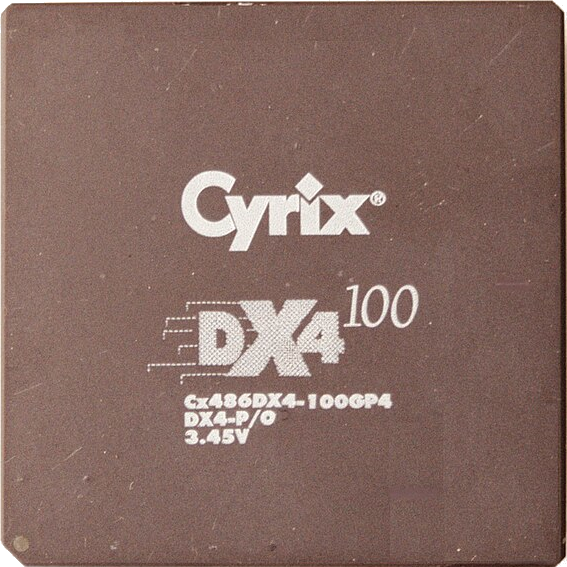
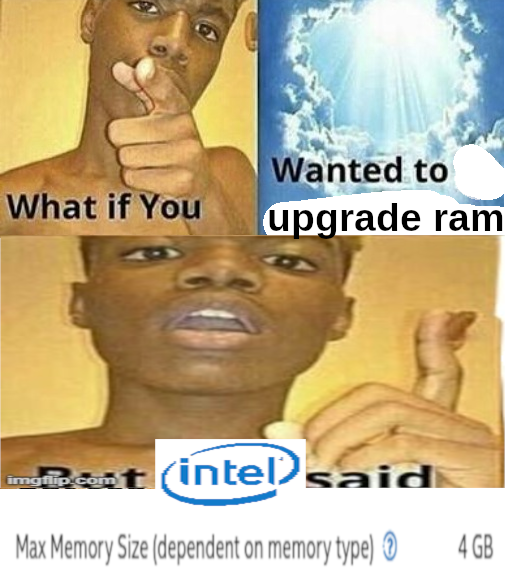
I met someone that was throwing out old memory modules. Literally boxes full of DDR, DDR2 modules. I got quite excited, hoping to upgrade my server’s memory. Yeah, DDR2 only goes up to 2GiB. So I am stuck with 2×2GiB. But I am only using 85% of that anyways, so it’s fine.
What hardware are you using where the cpu says you are limited to 4gb?
Even a 25 year old Pentium 4 supports 8GB.
Maybe an Atom?
Yep. Intel atom D525
Have you looked into using zram?
My guess is an x86 32bit machine
Negative, Pentium 4 was x86 and thus could only address 32 bits.
64bit CPUs started hitting the mainstream in 2003, but 64bit Windows didn’t take off until Win7 in 2009. (XP had it, but no one bothered switching from 32b XP to 64b XP just to use more memory and have early adoption issues. Vista had it, but no one had Vista).
The Pentium 4 supported PAE and 36 bit PSE
https://en.m.wikipedia.org/wiki/Physical_Address_Extension
It’s kind of like how the 8086 was a 16 bit processor but could access 1 megabyte of ram (640k ram 384 k reserved for rom) . -Or the 286 which was 16 bit but could access 24 MB.
But even without that the Prescott P4’s supported 64 bits.
While technically true, the P4 did support PAE, in reality you couldn’t really make use of it on consumer hardware for most of its lifetime. No ordinary socket 478 mainboard with DDR1 memory supported more than 4 GB of RAM. With socket 775 more RAM was possible, but that socket is “only” ~20 years old.
Besides that, there were other even newer systems that supported only 4 GB of RAM, like some Intel Atom mainboards with a single DDR2 socket. Same with Via C3 mainboards.
Oh sure. But as I said, that’s the motherboard’s fault, not the cpu.
Then I don’t understand what your point is. A CPU on its own without a system isn’t of any use. Since there were no motherboards allowing you to use that much RAM, the point about the CPU supporting it is moot as far as I am concerned.
All of that was introduced in 2004. When you said “25 years ago” I assumed you meant the original P4 from 2000.
Might be using a laptop where the RAM is soldered to the board. I’ve got a Thinkpad X280 that’s like that: no slots, just surface-mounted RAM.
That’s Lenovo’s fault, not Intel.
Intel atom D525
Oh wow, I just saw the comment about it being an ancient Atom. Yeah, fair enough!
Fuck ive been dealing with that + max RAM speed limitations for a month.
The oldest hardware I’m still using is an Intel Core i5-6500 with 48GB of RAM running our Palworld server. I have an upgrade in the pipeline to help with the lag, because the CPU is constantly stressed, but it still will run game servers.
Maybe not shit, but exotic at that time, year 2012.
The first Raspberry Pi, model B 512 MB RAM, with an external 40 GB 3.5" HDD connected to USB 2.0.It was running ARM Arch BTW.

Next, cheap, second hand mini desktop Asus Eee Box.
32 bit Intel Atom like N270, max. 1 GB RAM DDR2 I think.
Real metal under the plastic shell.
Could ever run without active cooling (I broke a fan connector).I have one of these that I use for Pi-hole. I bought it as soon as they were available. Didn’t realise it was 2012, seemed earlier than that.
What’re you hosting on them?
Mainly telemetry, like temperature inside, outside.
Script to read a data and push it into a RRD, later PostreSQL.
ligthttpd to serve static content, later PHP.Once it served as a bridge, between LAN and LTE USB modem.
This was my media server and kodi player for like 3 years…still have my Pi 1 lying around. Now I have a shitty Chinese desktop I built this year with i5 3rd. Gen with 8gb ram
I faced that only with different editions of Windows limiting it by itself.
My home Kubernetes cluster started out on a Core i7-920 with 8 GB of memory.
Upgraded to 16 GB memory
Upgraded to a Core i5-2400S
Upgraded to a Core i7-3770
Upgraded to 32 GB memory
Recently Upgraded to a Core i5-7600K
I think I’ll stay with that for rather long…
I did however add 2 Intel NUCs (gen 6 and gen 8) to the cluster to have a distributed control plane and some distributed storage.
Testing federation from my shit hardware… 😅
Looks like it works! Congrats!
Why didn’t you post this before I bought the RAM?!
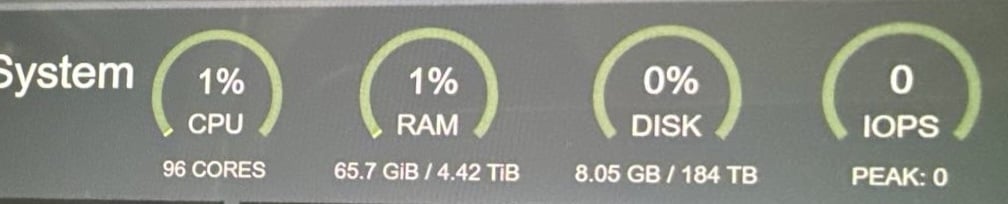
N…not quite…
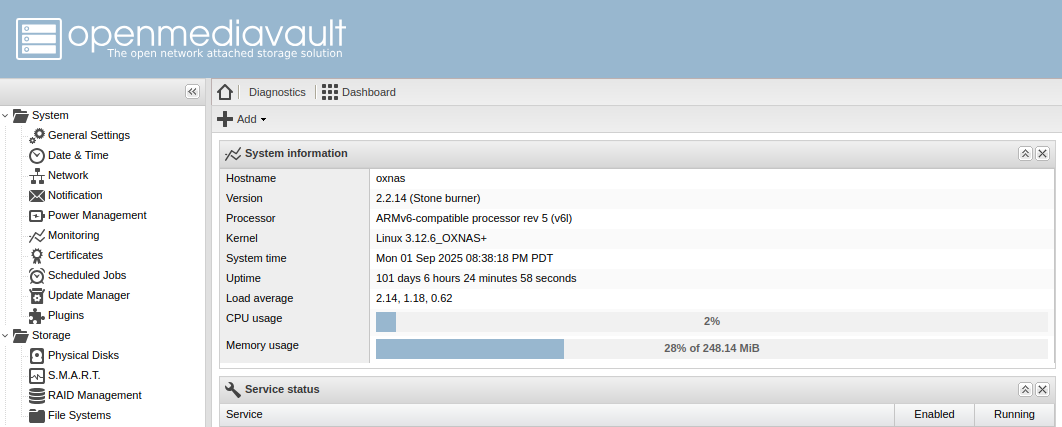
Does this count ARMv6 256MB RAM running OpenMediaVault…hmm I have to fix my clock. LOL
Not anymore. My main self-hosting server is an i7 5960x with 32GB of ECC RAM, RTX 4060, 1TB SATA SSD, and 6x6TB 7200RPM drives.
I did used to host some services on like a $5 or $10 a month VPS, and then eventually a $40 a month dedi, though.
What do you use the 4060 for?
I use it for Plex/Jellyfin, it’s the cheapest NVIDIA GPU that supports both AV1 encoding and decoding, even though Plex doesn’t support AV1 yet IIRC it’s still more futureproof that way. I picked it up for like around $200 on a sale, it was well worth it IMO.
Yeah, not here either. I’m now at a point where I keep wanting to replace my last host thats limited to 16GB. All the others - at least the ones I care about RAM on - all support 64GB or more now.
64GB would be a nice amount of memory to have. I’ve been okay with 32GB so far thankfully.
Just down load more ram capacity. It the button right under the down load more ram button.
4 gigs of RAM is enough to host many singular projects - your own backup server or VPN for instance. It’s only if you want to do many things simultaneously that things get slow.
deleted by creator
I was for a while. Hosted a LOT of stuff on an i5-4690K overclocked to hell and back. It did its job great until I replaced it.
Now my servers don’t lag anymore.
4690k was solid! Mine is retired, though. Now I selfhost on ARM