I’m currently facing a dilemma. Right now, I have a synology NAS that I use to host my homelab containers (*arr, pi-hole, vaultwarden, Plex, etc).
I am planning to offload as much of that as possible to a dedicated machine, which hopefully will allow me to continue self-hosting even more demanding services (Immich, etc).
I was lucky enough to get a proper server - Supermicro, for free, with 64GB Ram DDR4 and 1TB. However, I plugged it in and that thing is NOISY.
My rack will be in the home office, where I will spend at least 8 hours a day, so I can’t afford that level of noise.
What should I do? Should I try to sell the supermicro and buy something else with that money? Should I keep the RAM and SSD (and CPUs?) and build something else with them? Are there any quiet servers I could look into (I am guessing better performance but more expensive), or Should I go the MiniPC route instead (cheaper and smaller, but more limited specs)?
You must log in or # to comment.
even more demanding services (Immich, etc).
Just for your information, I’m running Immich on an old Optiplex and it does work without demanding a lot of power. Yes, if you import your library, it will take some time to process everything. But after that is done, the amount of computing you’ll need is actually near nothing. Processing the images is a one-time job. And if you’re not going around taking thousands of pictures every day, Immich will not demand much power. Most of the time it sits idle while not new pictures are uploaded and nobody looks at the pictures.
(it’s the same with Plex or Jellyfin BTW: If you’re not running the server for your extended family, you get away with cheap hardware)
Removed by mod
Honestly it all depends on what you need both now and in the future.
I’m running lots of services on a cheap mini pc I got for £80, it’s an N100 CPU, 32gb ddr4 ram, 512nvme, then has 2x8tb hdd’s and 2x2tb ssd’s which are in a raid1 area served with lvm.
Running vault warden, immich, navidrome, adguardhome, torrent setup, sterling Pdf, filebrowser, radicale, WebDAV server, searxng, syncthing. This has 4 daily users.
It’s barely under any load running all that and is silent and draws a max of 15w. I feel I could double the services if I wanted
I personally plan on building a desktop pc specifically to be my server in the next few years as an upgrade to my current setup, but won’t be for at least another 18 months as currently have no bottlenecks or issues.
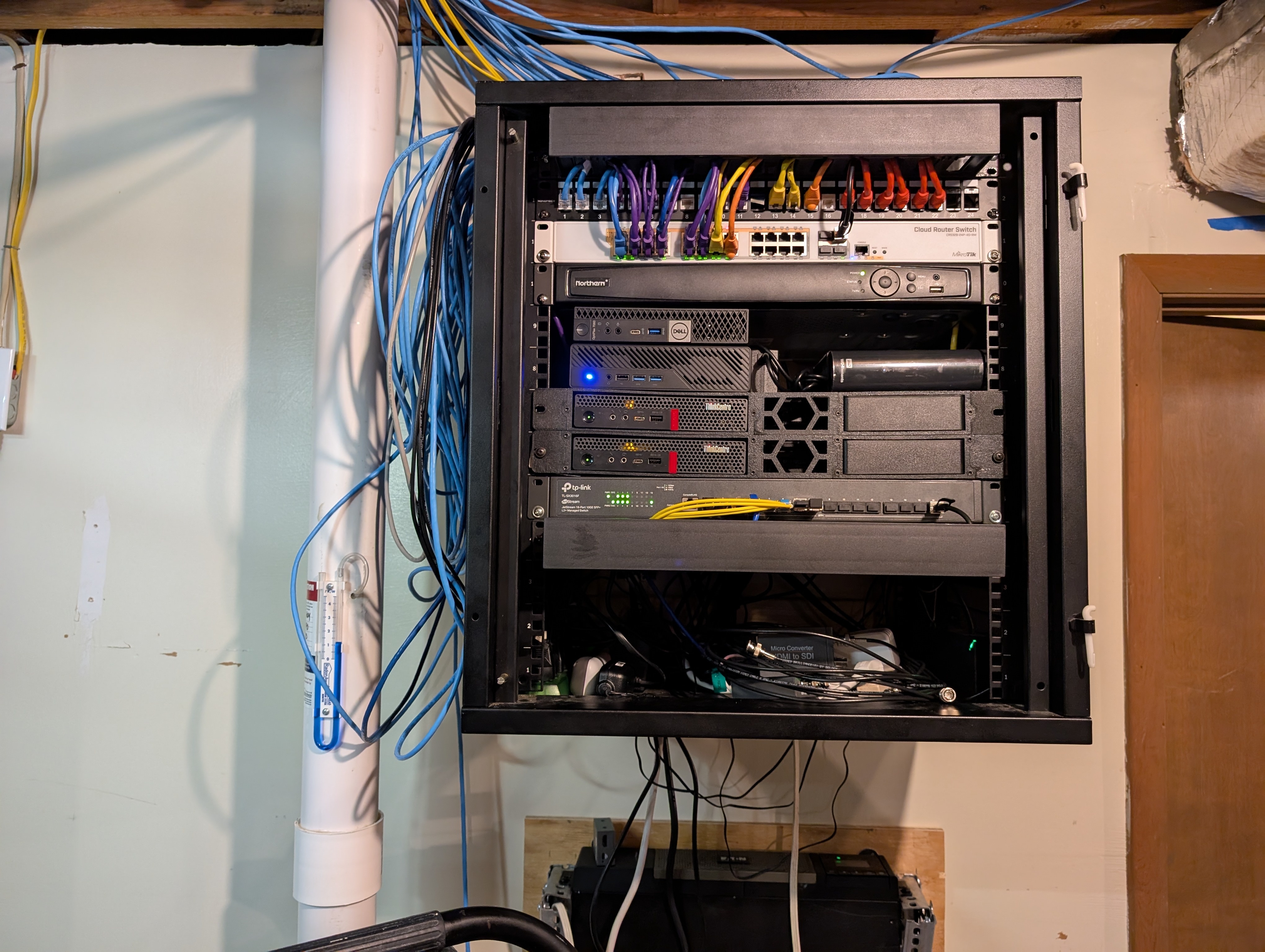
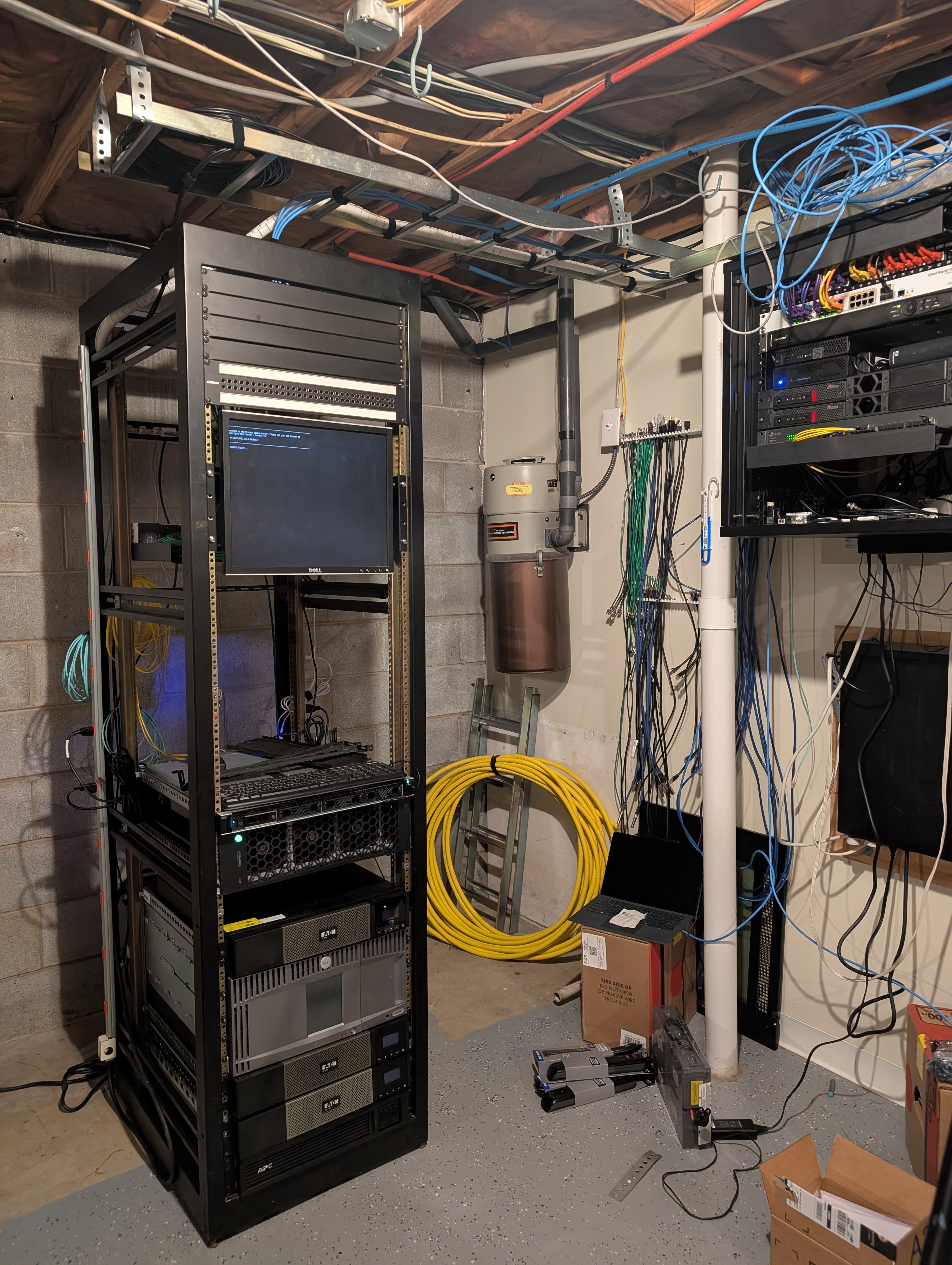
So I have both Rackmount Server and Mini PC’s running in my lab, and it really comes down to what do you want/need.
Mini PC PRO:
- small size
- quiet operation
- low power, low heat
- limited remote management option with vPro
Mini PC CON:
- limited storage options
- limited ram
- lower thread/core counts at lower TDP (often 35w)
- limited expansion or no expansion
Rackmount Server PRO:
- offer expansion
- offer redundant power
- lots of RAM
- lots of cores/threads
- lots of PCIe
- lots of networking
- IPMI (remote management)
Rackmount Server CON:
- lots of noise
- lots of heat
- lots of power use
- takes up way more space
https://www.minisforum.com/products/minisforum-ms-a2
I think the little Minisforum MS series offer the perfect balance of mini PC with server like options. They give you 4 built in network ports 2x 10g and 2x 2.5g which is perfect for most applications IMO, they are available in both AMD and Intel flavors. With the one open PCIe slot you can add an external SAS card and then just use a SAS enclosure for disks. I currently have USB HD’s plugged into my mini PCs and its not great, they dont get enough cooling, and I live in fear because they are on cheap wallwart power supplies. It is working and for the most part has been.
My Rack configuration has been stripped down massively and now its just a single 2RU and Dell 1RU that is a low spec storage server only. The 2RU has an AMD 3900x w/ 64gb and 16gb MI25 card so I can tinker with AI, the Dell is just an i3-8gen with 32g and 4x 12tb drives.
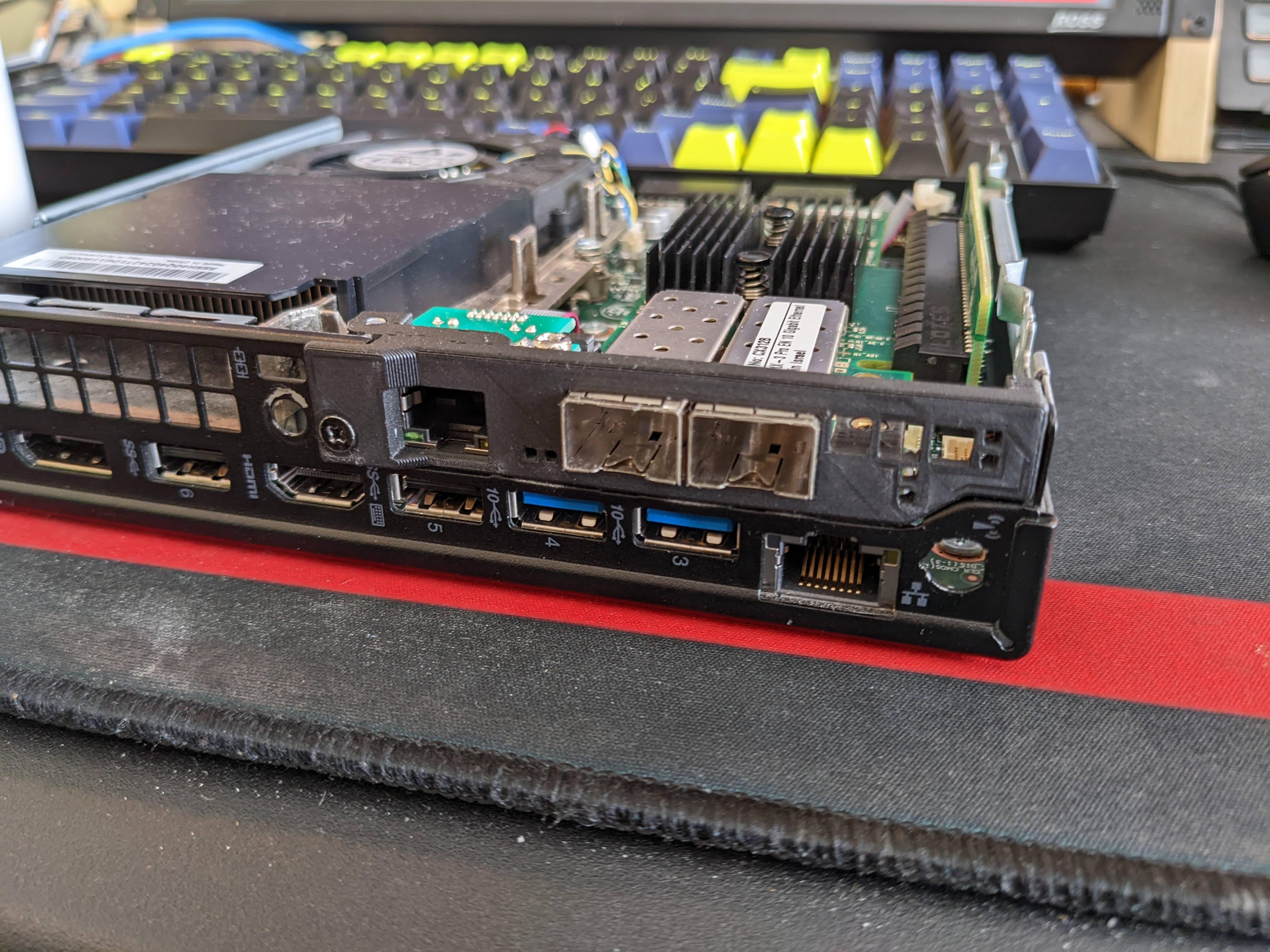
The Lenovo’s are both i5-8gen with 32gb, same with the Dell mini PC, the Minisforum is an MS-A1 before they had the MS-A2 with better networking and PCIe. The Lenovo’s do have upgraded networking so I can have 4 network ports per box, 2x 10gb, 1x 2.5, 1x1g.
I’ve done both, there are very few scenarios where I’d pick a full sized server over a few mini PCs in a homelab. The only time I’d consider a larger footprint in a homelab is for a custom built NAS.
I have all the services you’ve mentioned and more and I’m pretty sure I could comfortably host them on a singular mini PC that I could pick up on ebay for $200 at most. Switching to a Mini PC is also making it easier for you to consider things that require multiple discrete systems in the future and there’s a lot of cool things you can do in that space.
Even for the larger footprint, I would just use a larger desktop case.
If power is a big enough issue that dual power supplies would help, i’d rather run three small computers or desktops in a k8s setup.
I switched to a M4 Mac Mini as my home server and it is amazing. Virtually silent, incredibly powerful, yet insanely power efficient.
If it’s a 1U they can sound like a jet engine. The Noctua 40MM fans can be swapped in and cut the noise a good bit.
You can also build a shroud to place over the case, the idea is to allow the air to flow but use something like deep pile carpet to line the inside and absorb the sound created.
It will never be silent but you can get the sound to the point where it won’t rot your brain.
Just control the fans. Either through the IPMI or associated software. Plenty of directions and tools for this available via your favorite search engine.
Just pay attention to temperatures. Rack hardware usually expects constant airflow.
What is the form factor? See if you can just get a new case for it. You can always under clock a system to make it use less power, workstation cases are quieter than servers.
Noise is almost always the fans. Servers are supposed to take a little space as possible and depend on super high airflow from a cold room.
With the cost of components you are going to have a hard time selling a system to buy a different one. 64gb of ram is pretty sweet for a home server. You can do all sorts of silly stuff and still have a responsive system.
Ah the age old dilemma. This is why my old server never got used. It was loudddddd.
I faced pretty much the exact same choice, except I was given four of them, each with 8 GB of RAM.
Unfortunately they were two different hardware revisions, so the most I could achieve was two servers with 16 GB each.
They sound like a Jet taking off when powered up and the BIOS doesn’t support lower fan speeds.
Instead after months of deliberation I decided to go with a SFF Lenovo, 32 GB, 2 x 1 TB NVME, Ryzen 7, and bought this:
It’s whisper quiet and running Proxmox.
To get VM video passthrough to work I installed an extra video card, though, you could install a desktop on the host OS instead if you prefer.
The video card I used to fit inside is this:
Acronyms, initialisms, abbreviations, contractions, and other phrases which expand to something larger, that I’ve seen in this thread:
Fewer Letters More Letters ESXi VMWare virtual machine hypervisor NAS Network-Attached Storage NVMe Non-Volatile Memory Express interface for mass storage SSD Solid State Drive mass storage
4 acronyms in this thread; the most compressed thread commented on today has 4 acronyms.
[Thread #281 for this comm, first seen 9th May 2026, 22:10] [FAQ] [Full list] [Contact] [Source code]
As others have said, unless you’re going to be using those CPUs a lot, you probably don’t need the capability.
I run an old (2019) Dell OptiPlex SFF desktop as my server (I also have an ancient NAS). It runs ESXi just fine, with 2 Linux VM’s and 4 Windows VM’s, with 48GB of RAM.
At idle it consumes just under 20 watts. Peak is 80 watts (limited by the power supply).
Those VM’s all run fine - one is for file services and Jellyfin, one is for dedicated DVD ripping and video conversion.
Even when that VM is converting videos, everything else is responsive. Never get a lag on Jellyfin.
Now imagine how much more performance your server is capable of. Many simultaneous VM’s.
Oh, and it’s a really quiet machine.
I’d sooner have this or multiple mini pc’s than any kind of commercial server hardware. Completely different design approaches - servers are designed for running 24/7 with maximum cooling capability along with max performance. Power and noise aren’t really a consideration.
- Is it not possible to put it in another room?
- Those servers are designed to go into a dedicated server room without regard to noise. Could you relocate it to a new enclosure?
Servers are terrible for homelab use. They’re unwieldy, consume way too much power and as you’ve found they’re very noisy. My vote goes to selling the thing and getting a mini PC, an (old) laptop or building something quiet and frugal yourself. In the last case you might be able to reuse some parts you already have. But if cost is important almost nothing beats second hand mini PC’s in value for money.
Servers have their place in a home lab but it’s not if it lives in your office. 64GB in a server doesn’t make sense though. You can get more than that in a MS-01 at probably a lower price and lower power use.