Here’s my beautiful unemployed-for-too-long-have-no-money-dont-care-about-looks lab :)

Hey it’s more than good enough to run all this ¯_(ツ)_/¯

the hardrive just out in the wild, living life like it was meant to be lived.
What are its natural predators?
Cats and very young humans
gravity
beverages
drunk sysadmins
Spill your beer on it and get all three in one go!
Keys, paperclips and coins… they kinda work their way towards the PCB and short out crtitical things
 Here my homelab.
I moved not too long ago and I am still lacking some furniture, so it’s on the floor with cables lying wild. Does not look like much but it actually covers almost all my needs.
I still need a VPS because of email ports and resident ISP not being compatible…
Here my homelab.
I moved not too long ago and I am still lacking some furniture, so it’s on the floor with cables lying wild. Does not look like much but it actually covers almost all my needs.
I still need a VPS because of email ports and resident ISP not being compatible…
Nothing fancy myself as well. Not unemployed but I don’t necessarily wanna spend a lot on something I’m really just cutting my teeth with so far.
The central hub is up top, a Bosgame P4 Mini with 16GB DDR4, 512GB NVMe and a decent last-last gen Ryzen 7. It’s enough to run Jellyfin, HA, and PiHole all through Proxmox. Been rock solid outside of a planned power outage Peco was doing (and actually did it this time!)
I also have Jellyfin connected to an 8TB RAID1 NAS that resides upstairs in our shared space, and HA connected to the basement tech, mostly lighting and the TV and PC.
Bonus battlestation pic (not really lol)

booooo! /s looks awesome bro. It’s too clean tho.
Yeah I think I have a before picture on here somewhere. It was less messy, but I’m not quite ready for a rackmount or other system. I’m not even sure I need to jump to that level lol. Unless you’re talking about the 2nd pic, oh it can get messy. I cleaned up a bit so it wasn’t too gnarly. Shoulda changed my background too, I usually go for greenery or abstracts.
nice
Hey this looks how my setup would look like if I had the energy to clean :) https://lemmy.today/post/39171225
I spent too much time trying to get a configuration in which I could fit both the MiniPC and Router/Modem in the cabinet. This fixture came with the house, so I’m not complaining. I think I should swap out the surge protector (not even sure if it is one lol) for something more streamlined. And as for the mounted switch? That’s $2 velcro strips at Walmart :P
What’s that web interface thing? Is it home made? I keep thinking about doing something like that to save me having to remember port numbers for the different services on my home server.
It’s just heimdall.

Projects that im running:
General Web server out of junk
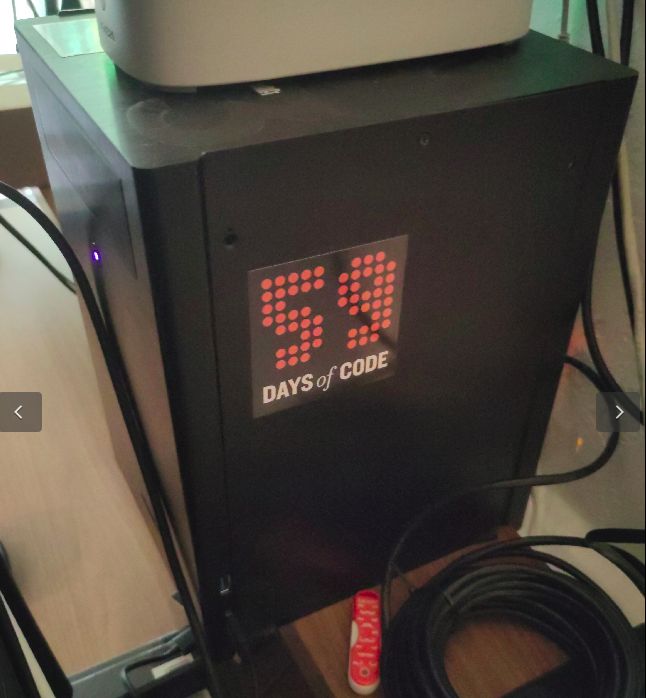
Old system 76 machine from a while back. Its what is running a majority of my services for self hosting. Only one screw keeps the case together, since I get into the insides quite often.
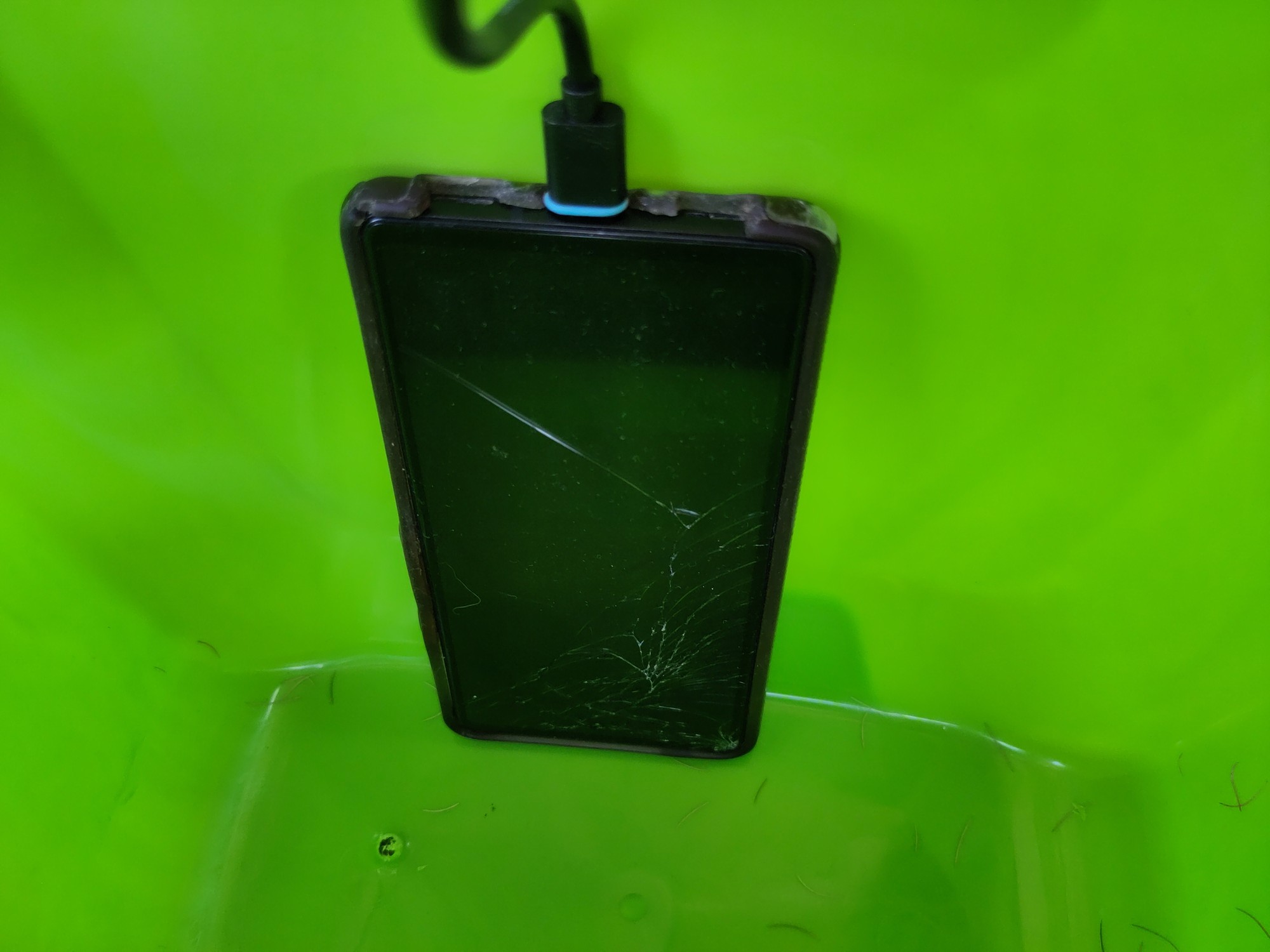
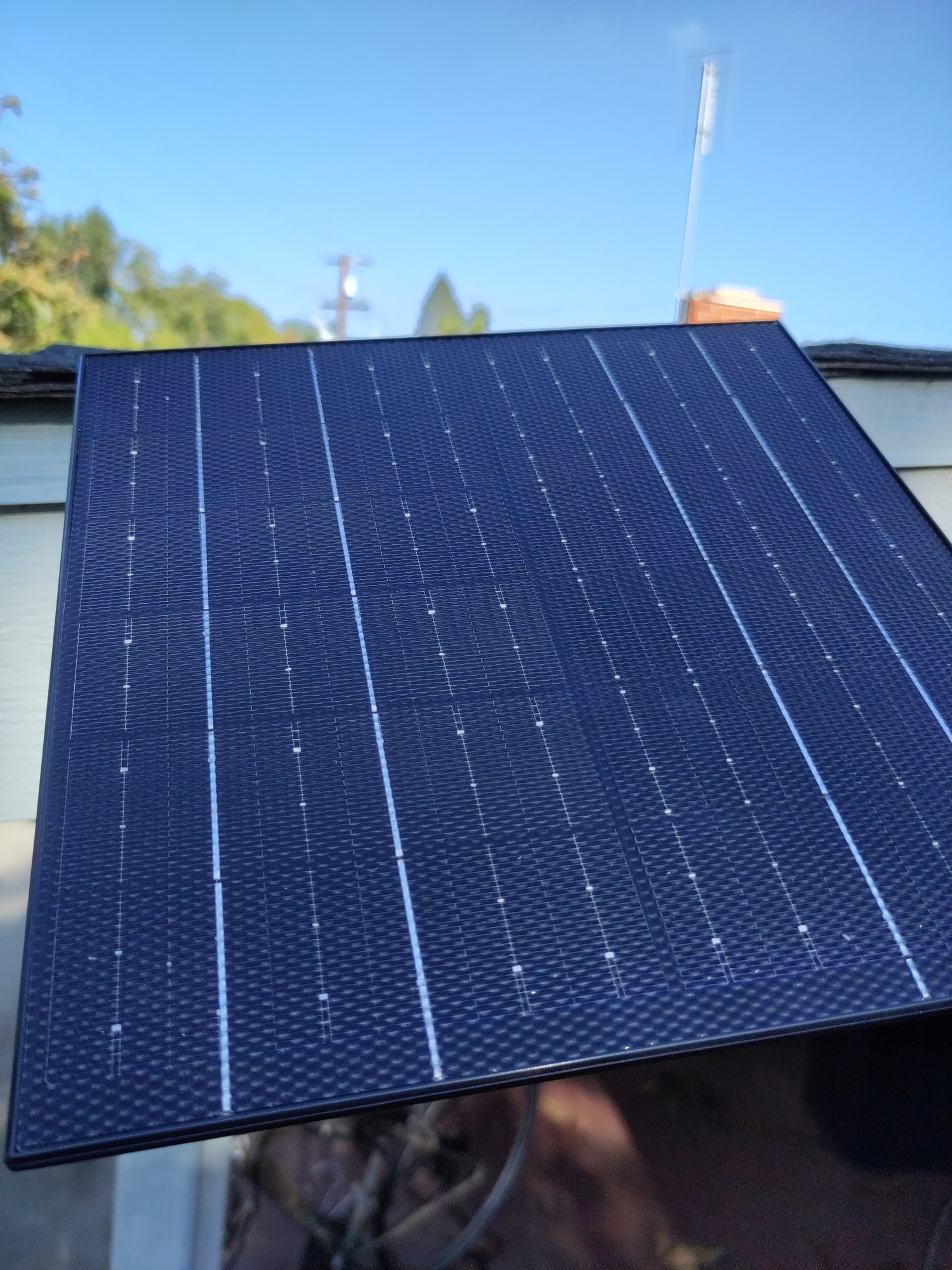
Solar powered web server on a phone
Solar powered web server. Its going to be repurposed into a meshtastic node soon.
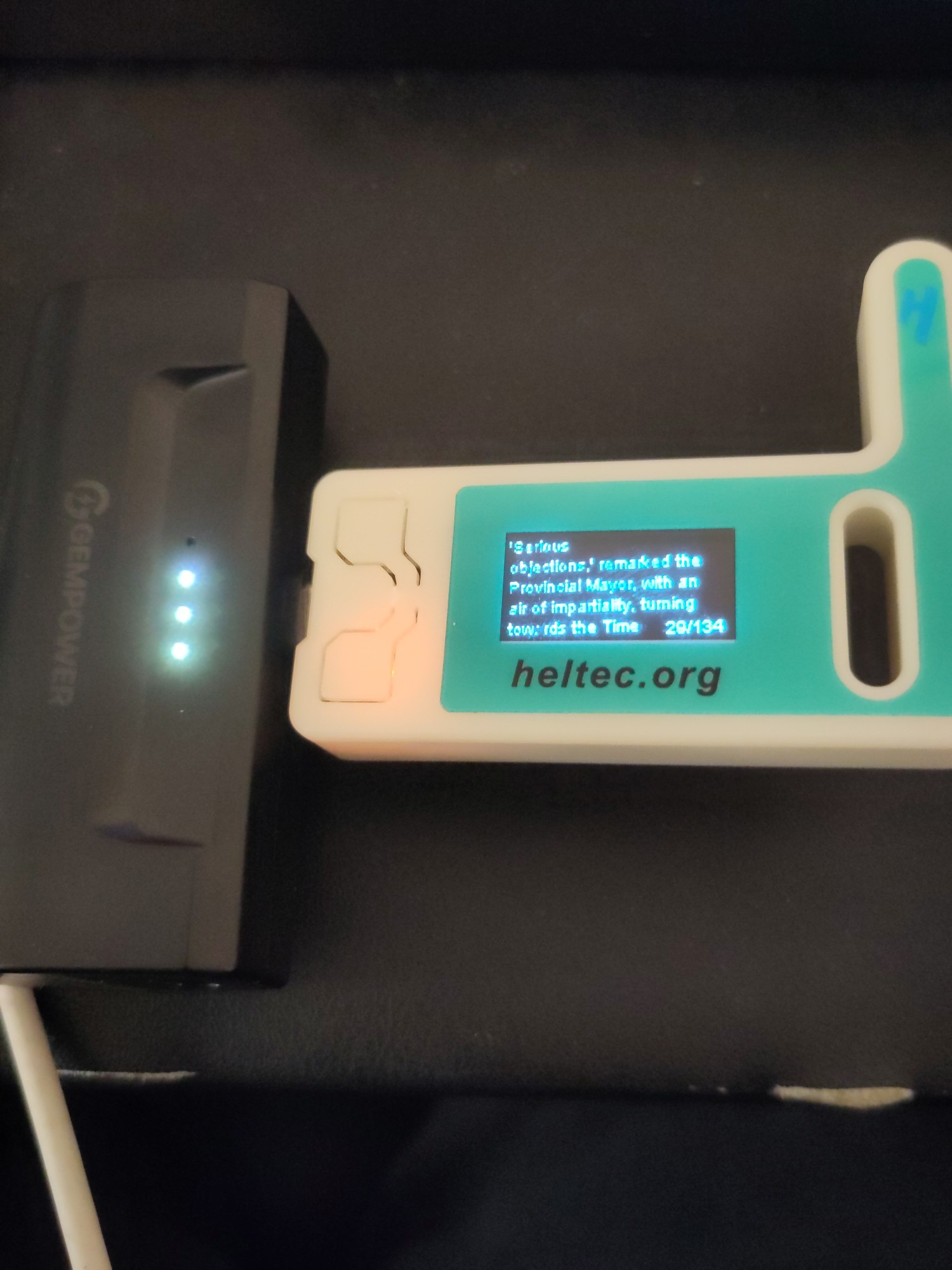
Ebook reader on a heltek v3
Somewhat jank setup of a heltek which is also an ebook reader. It runs a webserver to upload the book in txt format, then I can take it on the go. I still have to do some work on the text.
Old system 76 machine from a while back. Its what is running a majority of my services for self hosting. Only one screw keeps the case together, since I get into the insides quite often.
If you get bored and adventurous:
https://en.wikipedia.org/wiki/Computer_case_screws
Computer case screws are the hardware used to secure parts of a PC to the case. Although there are numerous manufacturers of computer cases, they have generally used three thread sizes.
The #6-32 UNC screws are often found on 3.5" hard disk drives and the case’s body to secure the covers. The M3 threaded holes are often found on 5.25" optical disc drives, 3.5" floppy drives, and 2.5" drives. Motherboards and other circuit boards often use a #6-32 UNC standoff. #4-40 UNC thumb screws are often found on the ends of DVI, VGA, serial and parallel connectors.
You might be able to get a box of thumbscrews in the appropriate diameter and go toolless. I’ve had a number of computer cases that ship with those (my current desktop case just uses magnets, doesn’t even have the thumbscrews). I have had a lot of less-than-ideal toolless things in the past, including poorly-designed toolless hard drive mounting stuff that wound up being a lot more work than the traditional tool-requiring stuff, but for the screws that keep the case closed, going toolless has always been a big win for me.
Thats good to know! Although if I am honest, ill probably just repurpose my current desktop that I am using for this conversation and get a new one if I end up re-doing my homeservers again.
Last thing I want to do is more work at home. So these are just “for fun” projects. If im not having fun, I start removing things from the setup.
That ebook reader is wild! Does the text stay in place while you read, or does it scroll past like a stock ticker?
If the latter doesn’t exist, I guess I should go push a PR to make that happen on meshcore firmware haha
Stays in place. It was a weekend project so I still need to do some work on the text in particular. Im not sure if ill go any farther, but the code is here if you want to take a look.
Now that’s a crafty homelab, love it
The best homelab is the one you already have.
The second best is the one you want to buy :D
Is that a PI in your setup?
Yeah it’s just haproxy + uptime kuma
Did someone ask for jank, dust, and cables?

This looks like an after-work special. Nice setup. That APC is awesome. I need to get a new one.
Hey, shock-absorbing floor, stable structure to put the servers on, and a UPS. I bet that’s much better than the vast majority of us (1st thing I buy when I get a job is a UPS).
¯_(ツ)_/¯
You want a double-backslash in Markdown.
¯\_(ツ)_/¯yields
¯_(ツ)_/¯
Whereas:
¯\\_(ツ)_/¯yields
¯\(ツ)/¯
You need to add backslashes to your underscores since Markdown is turning them into italics.
¯\\\_(ツ)\_/¯yields
¯\_(ツ)_/¯
Thanks!
Indeed, I really should have caught that.

How can you hear the DJ tunes over the server fans?
Can’t hear either over my tinnitus
deleted by creator
Is this the “before” shot? There’s 190 spare ports. I’m all for leaving room to expand, but that’s a lot
Unpowered free 48 port switches are cheaper than block off plates.
Can’t argue with that!
I remember looking at Sysracks racks a while back when I was trying to find sound-absorbent enclosed racks (which they do make, though I didn’t get one; wasn’t willing to pay for it, as they come at a very large premium). They were one of the very few companies making them. I don’t think that those particular ones are the sound-absorbent models, but their name stuck in my head.
I got this because it’s almost fully enclosed. Most of the noise comes from an open rear door which this doesn’t have, and an open front door which this sort of has. It’s not very loud when the hvac is set to a reasonable level, even though it’s pulling air through 4 fans on the top.
I have additional sound deadening material if I need to apply it but I’m not there yet.
I’m eyeing 3-5 more 1U servers though so maybe I’ll need to do it.
I have additional sound deadening material if I need to apply it but I’m not there yet.
That’s probably a pretty good idea in terms of cost. I checked earlier when I made the comment to see what the price difference these days was, and IIRC a non-isolated 18U is ~$800 and an isolated 18U is ~$1800. They aren’t putting anything like $1k of sound-absorbing material into the rack.
Man, GTFO with that hot mess… I’m jealous really. I’m getting a chub just thinking about it.
So clean, I’m jealous
Oi thats too clean for this thread. Get out of here! /s Nice setup.
Business in front…
What is the browser window showing?
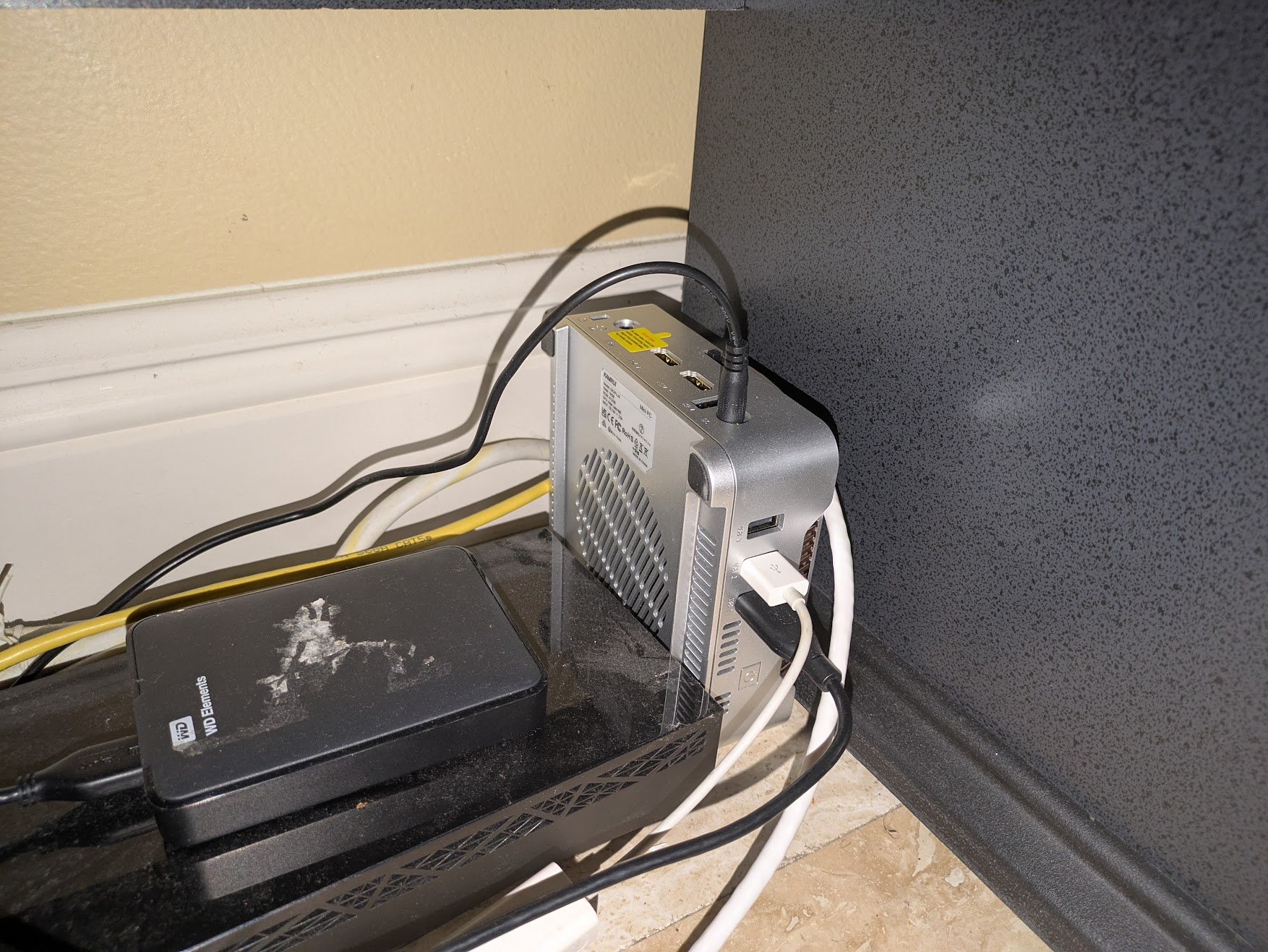
it’s a mini pc, standing sideways, with a USB to ethernet adapter and USB HDD
I was too lazy to put on clothes and go out to my shack. This picture is a bit old. It’s missing a lot of mess and my PeerTube server.
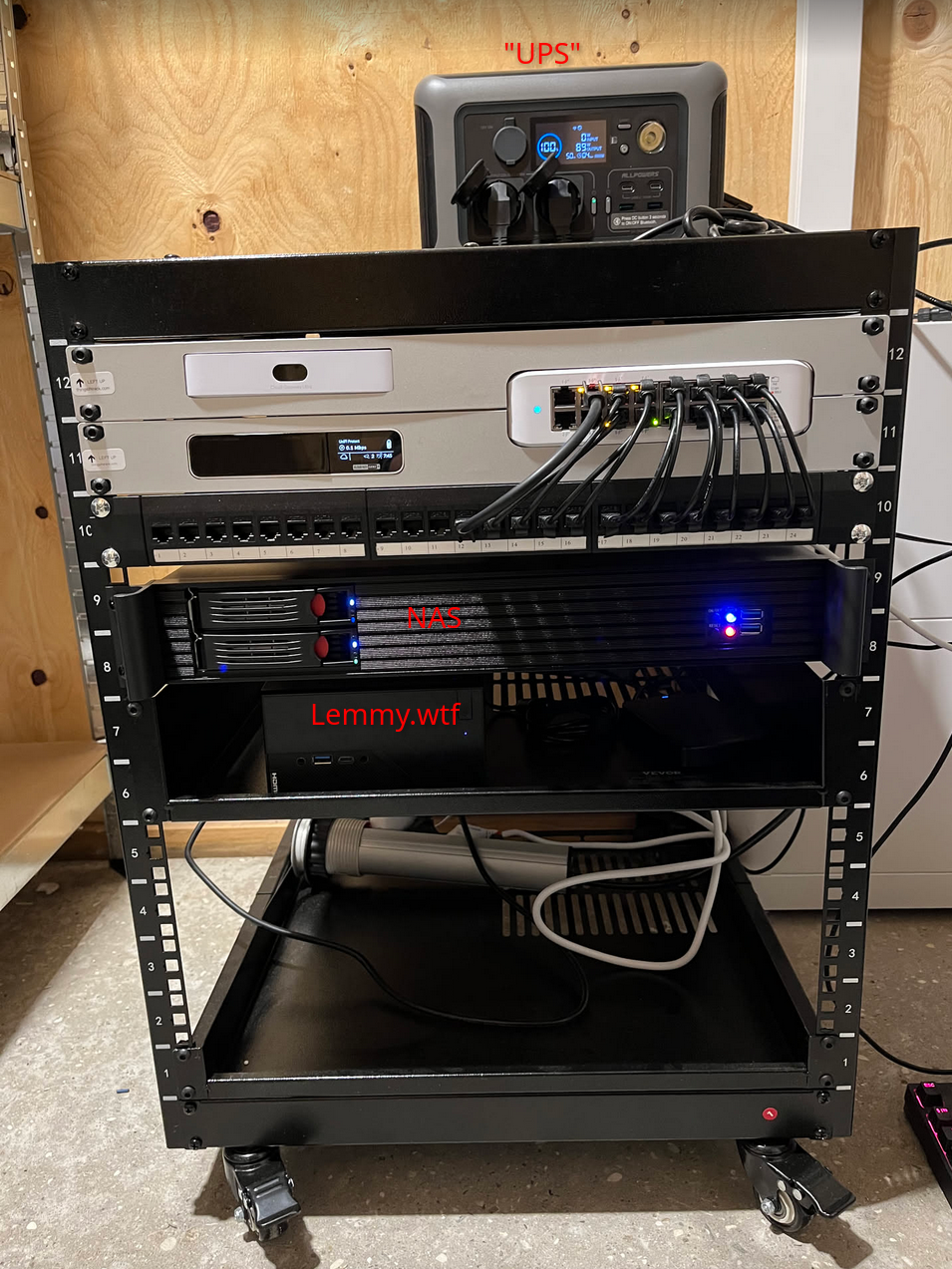
Oh neat! is that where peertube.wtf is also hosted?
That’s the server currently missing from the picture. Right now it’s a mess, because I’m doing a re-setup of everything. But getting my hands on hard drives have been difficult and I actually still need a CPU and motherboard.
I feel you. HD space (and everything else) is sooo expensive. I have an old spinning drive for my peertube instance just cause is easy to source.
Is the UPS between quotes just a fancy power hub? I mean that would work, that’s smart.
Yea, it’s a power station with built-in UPS. https://iallpowers.eu/products/allpowers-r600-portable-power-station-600w-299wh-with-lifep04-battery-1
The white box at the wall is also a battery from my solar setup, with an ATS. So kinda double UPS 🤭
I want one! Ive been thinking of setting up one with solar since my area gets next to no rain and hot as hell. Might as well use that to my advantage!
I’m still not using one. The problem is that you’ve got two classes of devices that haven’t quite converged to what I want.
UPS
Traditionally, the purpose of UPSes isn’t to keep systems running (other than through very short outages). It’s to do one of the following:
-
Provide a small amount of buffer until a backup power system, like a generator, has time to come online.
-
Give the systems time to shut down cleanly. This was particularly an issue before journaled filesystems became the norm, since an unclean shutdown in the era when Windows was using FAT, Linux was using ext2, and MacOS was using HFS had at least the possibility to corrupt your filesystem. They have the ability to report their charge level to an attached computer so that it knows when the battery level is critical and then software on it can start it shutting down. On Linux, the most-common software package to do this is Network UPS Tools, or NUT.
These things don’t need a lot of capacity. They rarely get drained, so they usually use lead-acid batteries, which are heavy and don’t have many full charge-discharge cycles in them (but are pretty happy staying fully charged all the time). You can still get these. The lead-acid batteries are replaceable, though, so an old UPS can keep going for a very long time.
Powerstation
These are designed to keep a attached systems running. Unfortunately, they have a couple of important limitations for powering computer systems.
-
They do not normally have the ability to report their charge level. Irritatingly, they do nearly always have a voltmeter rigged up to some software to map voltage to charge remaining to drive a ‘charge remaining’ display on the device, and there are USB HID device classes for reporting charge levels to a host OS, but for some reason, powerstation manufacturers don’t seem to have an interest in making a powerstation that has the latter functionality. NUT does have a USB HID backend, which means that it can monitor and shut down a system if they’d expose it. I’d really prefer the ability to treat one of these as a laptop-style battery, as Linux (as well as other OSes) have the ability to hibernate on low battery. On Linux, these show up as
/sys/class/power_supply/BAT*, and there’s lots of software to display charge information and act based on low levels…but AFAICT from looking around the kernel, there is no way to get the kernel to deal with a USB HID device reporting remaining charge like this as a BAT device. -
Computer power supplies can only smooth out so much of an interruption in their power. Computers rely on something on the order of a 10 millisecond transfer time after AC goes out until the UPS needs to be running full-tilt. searches ATX PSUs apparently are only required to operate for 16 milliseconds without power. Other hardware attached may or may not actually deal well with interruptions, but obviously the shorter the transfer time, the better. It looks like line-interactive UPSes tend to do something like 3-6 milliseconds. The problem is that a lot of powerstations have a transfer time in excess of this.
There are some LFP UPSes now, but these have their own disadvantages. They tend to be fairly pricey, and the batteries are often not replaceable, which means that unlike the old lead-acid UPSes, when the battery dies (which will take longer than with a lead-acid battery), the whole device is also going to the landfill.
And lastly, you have the problem that while lead-acid batteries are pretty mature and prices are pretty stable, LFP battery prices are coming down (and sodium-ion might start competing with them for fixed batteries). If batteries are cheaper in the future, waiting means a better deal.
I don’t currently run a UPS on my systems (though I have in the past). I kind of decided that if I’m going to run a UPS, I’m probably going to just bite the bullet and use the combination of a traditional lead-acid UPS and an LFP powerstation, with the UPS plugged into the powerstation. In that configuration, the powerstation provides provides the longer-running power, and the UPS deals with short transfer time and warning computer systems that power is about to go out. This isn’t perfect, because (a) your computing devices can’t see the remaining charge on the powerstation in an outage (b) at some point, one still has to toss the LFP powerstation, and (c) there’s a little extra hardware involved. However, it also has a number of benefits:
-
Lead-acid UPSes pretty much always have replaceable batteries. One can keep the UPS around, though the batteries will have to be periodically replaced.
-
The UPS will provide time for the system to shut down.
-
UPSes are designed specifically for this, and have short transfer times. You don’t need to worry the way one might about a powerstation having marginal transfer time.
-
You can get a lot of AC-related functionality in UPSes, like online capability (which will clean up the power, if you want), which isn’t generally available in powerstations.
-
You can upgrade the “powerstation”, even (if you want) doing a build-your-own thing with separate cells and an inverter and charge controller (which is generally more cost-effective for larger systems) down the line. These discrete-component systems are also a lot easier to provide human monitoring of remaining charge, since you can pick the components (and worst case, all you need to do is connect a voltage sensor that can talk to a computer to it), though they don’t integrate as nicely off-the-shelf with something like NUT as do traditional UPSes.
I’m not saying that this UPS+separate-battery-system is the only route to take, but I spent some time banging my head on it, and wanted to share if anyone else is similarly thinking about the same thing – that there may be a good argument to have a traditional UPS and some kind of separate battery system.
-
Lol puts “UPS” in brackets to suggest something janky, reveals it’s a battery power + solar power backup. Kudos :)
This. Is. Beautiful.
I want one!
Solid cable management 🤌🏻
so, that’s where lemmy.wtf lives
Wtf?
It is strange seeing the physical manifestation of a web endpoint, to me, in 2026, after decades of cloudslop.
Its just a computer! on a shelf! you can go hold it!
Two rack rails bolted together with a power strip and a tray holding my server mini PC. My router is bolted on as well to act as a switch for everything while also providing Wifi to my phone and laptop

The server is the black box on top of the rack. In the rack it’s networking and UPSs for both the server and my computer on the desk.


I think we have the same UPS
This is neat, doesn’t take too much place so fits in a classic house situation.

My little Raspberry Pi 5 with an old 1tb Hard drive connected to a WiFi extender. It ain’t much but I like it.
I used to work in automation as an electrician so I’m all about those coils and curves.
Coils & curves?
From my viewpoint it looks like balance and counter balance 🙂
Are those all balanced, pivoting around a power outlet?
It’s actually a plug in power outlet that plugs into a dual outlet box. It’s a snug fit so it’s able to hold all the extra weight surprisingly well.
It’s hard to see but I made a hook with the cable wrap holding the Pi5 and it hooks onto the cable wrap that goes the top of the quad outlet. That top cable wrap won’t slide down because I have two USB cables holding it in position. I designed it so I can easily detach it in case I need to do anything with the Pi5 or it’s hard drive.
I tried really hard to balance the Pi5 but the grey ethernet cable has too much weight so that’s the best I could do. I think I did a pretty good job all things considered :)
Gorgeous 😍
Hey it works doesn’t it :)